
Zero-configuration, dead-simple, no-collision object ID assignment for multi-user repositories.
Why do I need this extension?
Object ID collisions are a reality of every AL development team. Sooner or later two developers will assign the same object ID to different objects they create. In the best case, this causes manual renumbering work. In the worst case you have a broken build. In either case, you waste time.
AL Object ID Ninja solves this problem. It uses a central object ID cache that keeps track, in real time, of all object IDs your team members assigned to their objects. Unlike the AL Language, AL Object ID Ninja will never suggest the same object ID to developers working on the same app at the same time.
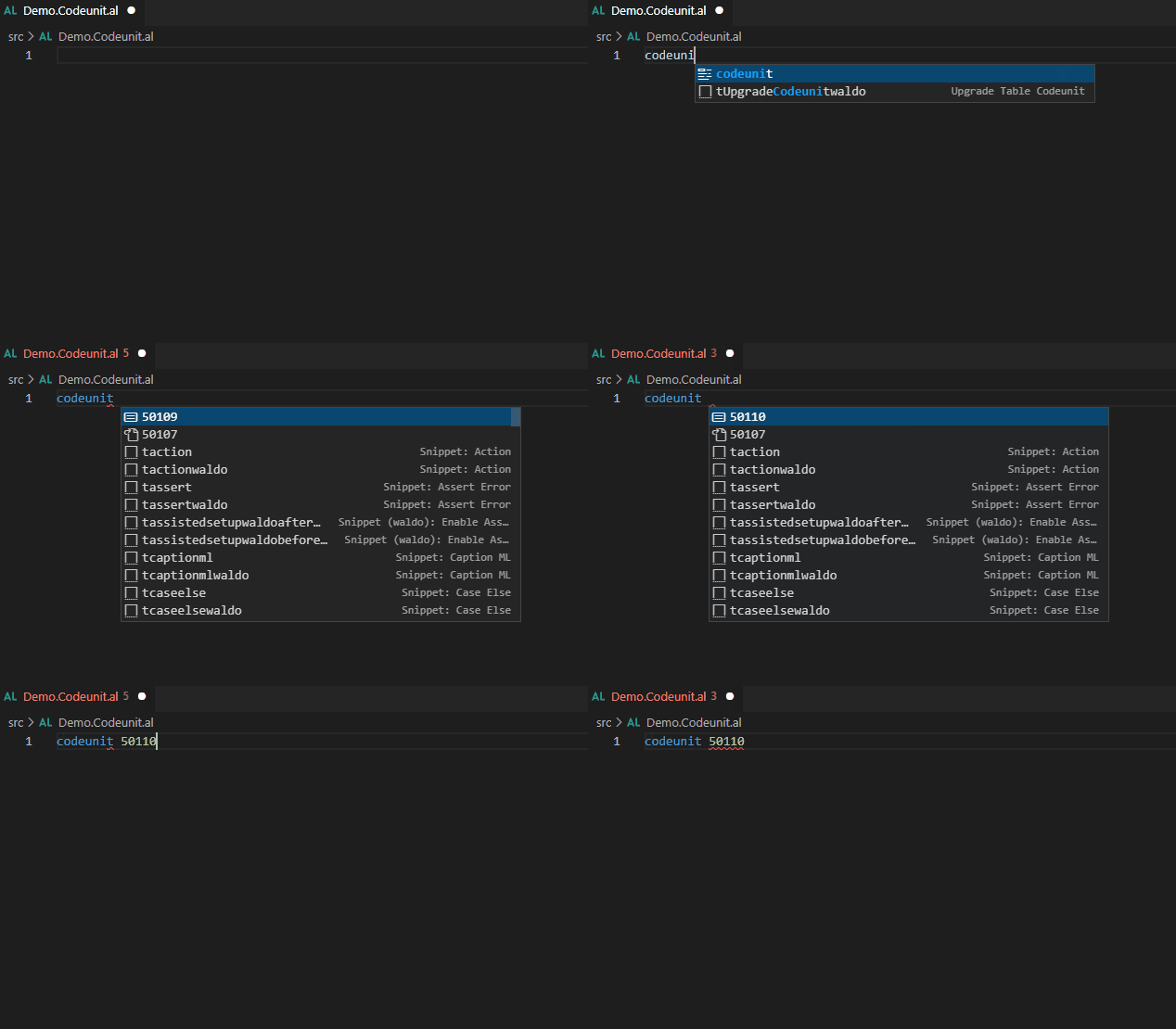
In the example above, while the AL extension doesn’t see that codeunit ID `50108` is already assigned by another developer, AL Object ID Ninja sees it. Also, AL Object ID Ninja sees that somebody even assigned `50109` while IntelliSense dropdown was open, so you only get to assign ID `50110`. No more object ID collisions.
Business as usual
The most beautiful part about AL Object ID Ninja is not that it just works out of the box without any configuration. It’s actually that you don’t need to change anything about how you are assigning object IDs! You keep using IntelliSense and you keep accepting the first suggestion there, and that’s all.
AL Object ID Ninja does not replace the object ID suggestions made by AL. It just put its own suggestions on top of those made by AL.
Getting started
To get started, you download this extension and start using it. It’s that simple! No configuration is needed, and you can use it on your existing projects as well as the new ones without any limitations.
While AL Object ID Ninja back end requires some information to be available before it can start assigning new IDs to your team, it will synchronize this information for you automatically.
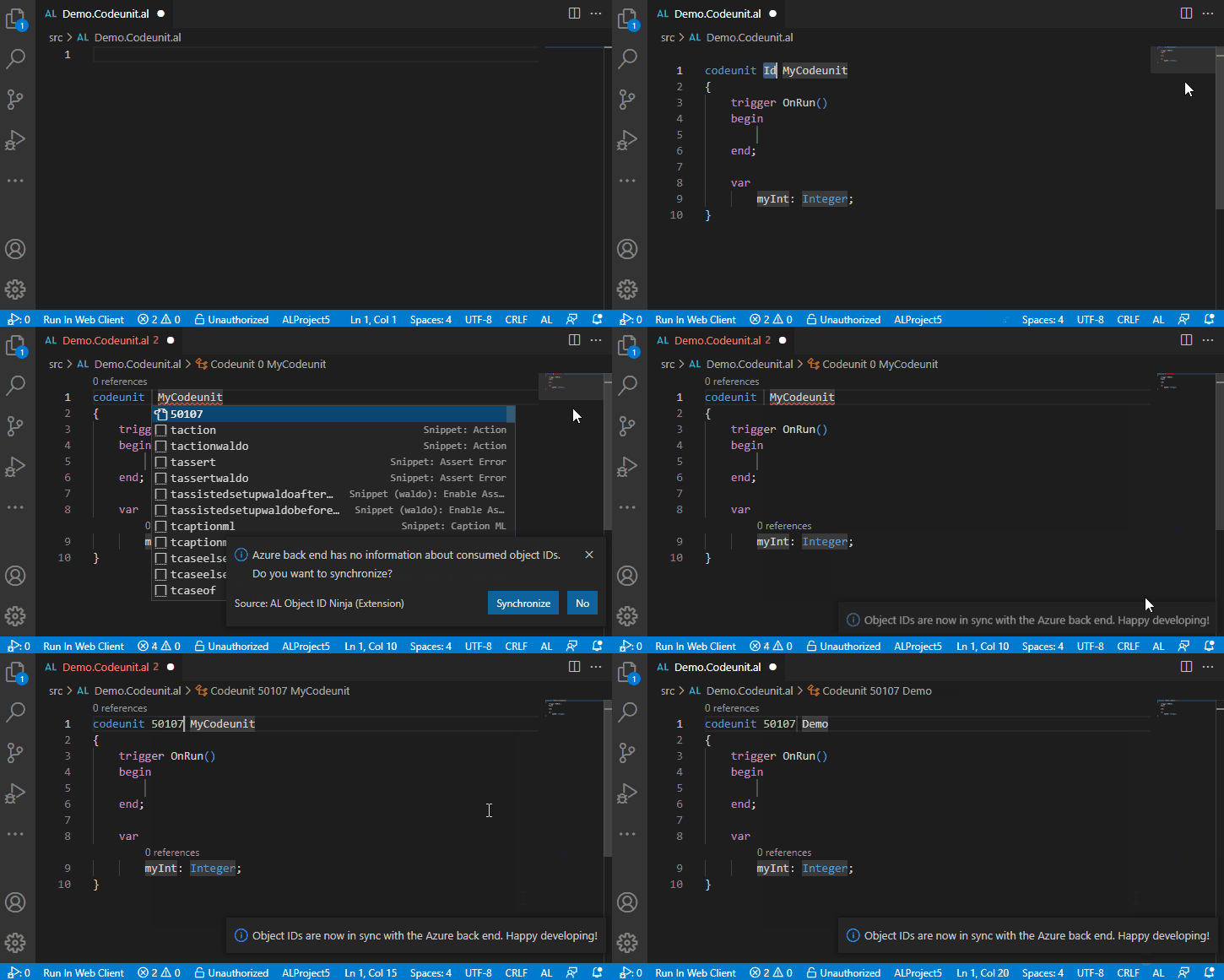
That’s it! Now everyone on your team can assign objects ID without fear of collision.